Tangerine Index는 ChatGPT 이후 나온 프로덕트와 사람들의 반응을 싣습니다.

New Windows Search
blogs.windows.com
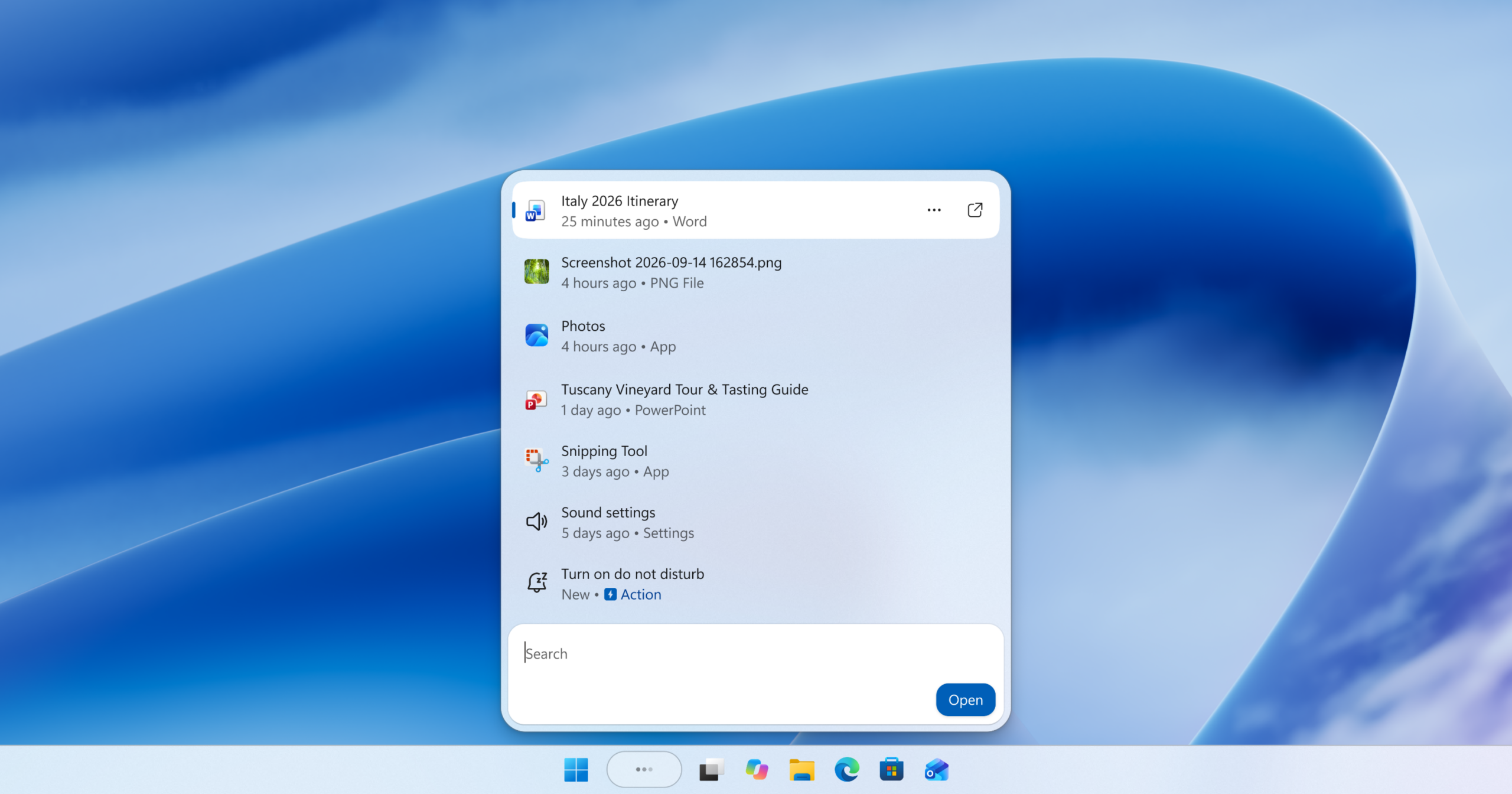
Windows Search now takes action, not just finds files
제작자가 쓴 설명
Hello Windows Insiders, Search is one of the most familiar ways to get around a Windows PC. It is how you may open an app, find a file, change a setting, or simply look for information. As Insiders, you have also been clear about what you expect fro. Microsoft is rebuilding Windows Search to help you do things, not just find them.
반응 (1)
비슷한 프로덕트
설명이 비슷한 순
Find images by what they show, AI-rename them, and sort them easily
ImageSage finds the image you remember. It is a private, local AI gallery. Point it at the folders you choose and it reads them in place, building an index that stays on your PC. That gives you two things Windows file search cannot: search that understands what is inside your images, and AI that renames them for you. INTELLIGENT SEARCH Type what you remember. Ordinary words become one natural-language query that runs against visual meaning and recognized text at the same time. - Visual meaning: "tiger looking out from a window" finds the photo even when nothing in the filename or the text says so. - Recognized text: on-device OCR reads the words inside screenshots, receipts, slides, error messages, and diagrams. Quote a phrase when it must match exactly. - Precise refinements: add filename:, path:, folder:, date:, type:, scope:, and sort: when you need them. Everything else stays plain language. Results stream in as you type and keep improving while a newly added folder finishes preparing, so you are never blocked waiting on an index. Save a search you will run again as a Smart Collection. Smart Collections are saved rules, not copied folders, so they always reflect your current library the next time you open them. Then act on what you found. Selection works directly on search results, so a set no folder view could produce - every screenshot mentioning "invoice", spread across six folders - can be moved, copied, renamed, or recycled in one pass. Other photo apps send you to File Explorer and lose your selection. ImageSage finishes the job on the real files, in the real folders. MAGIC RENAME "Screenshot (137).png" tells you nothing a year later. Select one photo or a hundred, choose Magic rename, and ImageSage proposes a short, descriptive filename for each one, using a generative AI model packaged inside the app and run on your device. Every suggestion is identified as AI-generated and opens in an editable review list. Change any name, exclude any file, and nothing on disk changes until you confirm. AI suggestions can be inaccurate or inappropriate and can be reported from Settings. PRIVATE BY DESIGN No ImageSage account. No ads. No developer analytics. Your photos, recognized text, searches, and visual-search data are never uploaded to an ImageSage cloud service. OCR, visual search, and Magic Rename all run on your device, and the catalog, thumbnails, and indexes stay under your Windows account. Online-only OneDrive files are ignored rather than downloaded. You can delete every piece of ImageSage-controlled local data without touching a single original photo. BUILT LIKE A GALLERY - Image-first gallery with River and Square layouts and three thumbnail densities - Expandable This PC tree: a registered root shows every image beneath it - Thumbnails appear progressively while indexing continues in the background - Explicit commands act on the originals themselves, in the folders Explorer already shows; indexing never reorganizes anything on its own - Double-click opens the original in your default Windows image viewer Supported formats: PNG, JPEG, and WebP.
- Hacker News
- 10점
- Product Hunt
- 반응 없음
- GitHub
- 반응 없음
One Click Work Finder OS
The operating system to find work instantly
- Hacker News
- 반응 없음
- Product Hunt
- 추천 66
- GitHub
- 반응 없음
Snub
A fast, lightweight file search CLI for Windows (written in C)
- Hacker News
- 5점
- Product Hunt
- 반응 없음
- GitHub
- 스타 40
Tab Search for Google Chrome
Search the content of all of your open tabs.
- Hacker News
- 반응 없음
- Product Hunt
- 추천 118
- GitHub
- 반응 없음
Folders File Manager
The macOS file manager for (former) Windows users
- Hacker News
- 반응 없음
- Product Hunt
- 추천 123
- GitHub
- 반응 없음

